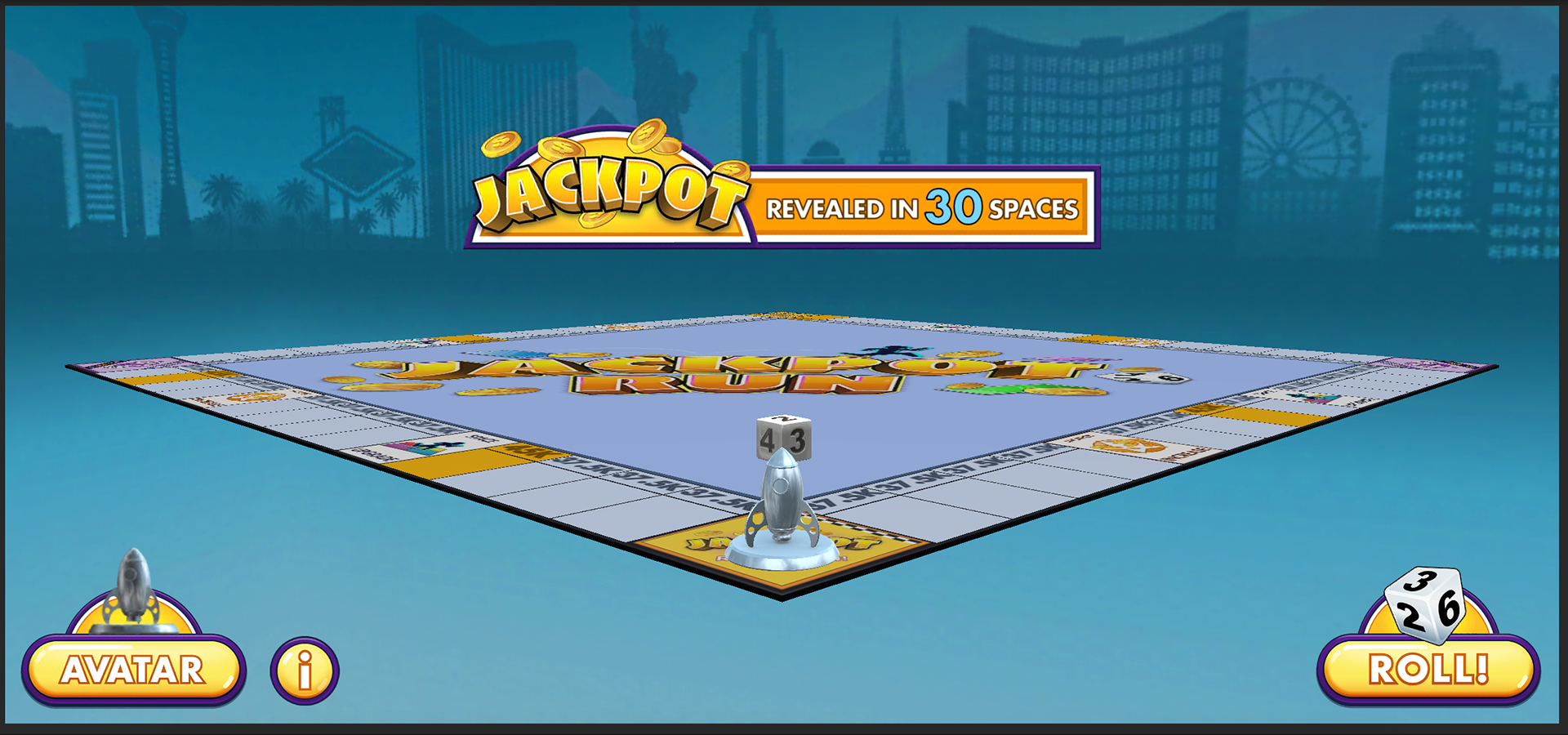
In-game screenshot of Jackpot Run.
Jackpot Run
I am particularly proud of my work on the Slot Topper called Jackpot Run. Slot Toppers are minigames that can be randomly triggered by spinning a slot.
Jackpot Run in particular is unique in Fort Knox, because it is a 3D scene in a mainly 2D project, complete with gravity, collision detection, and an orbiting camera. It is a board game with one six-sided die and one customizable player token.
Board Dimensions
The board is generated by a script I wrote. It takes in center piece width, corner tile width, and desired number of tiles between each corner tile. It then generates the necessary number of tiles at the necessary position and scale to display a complete board.
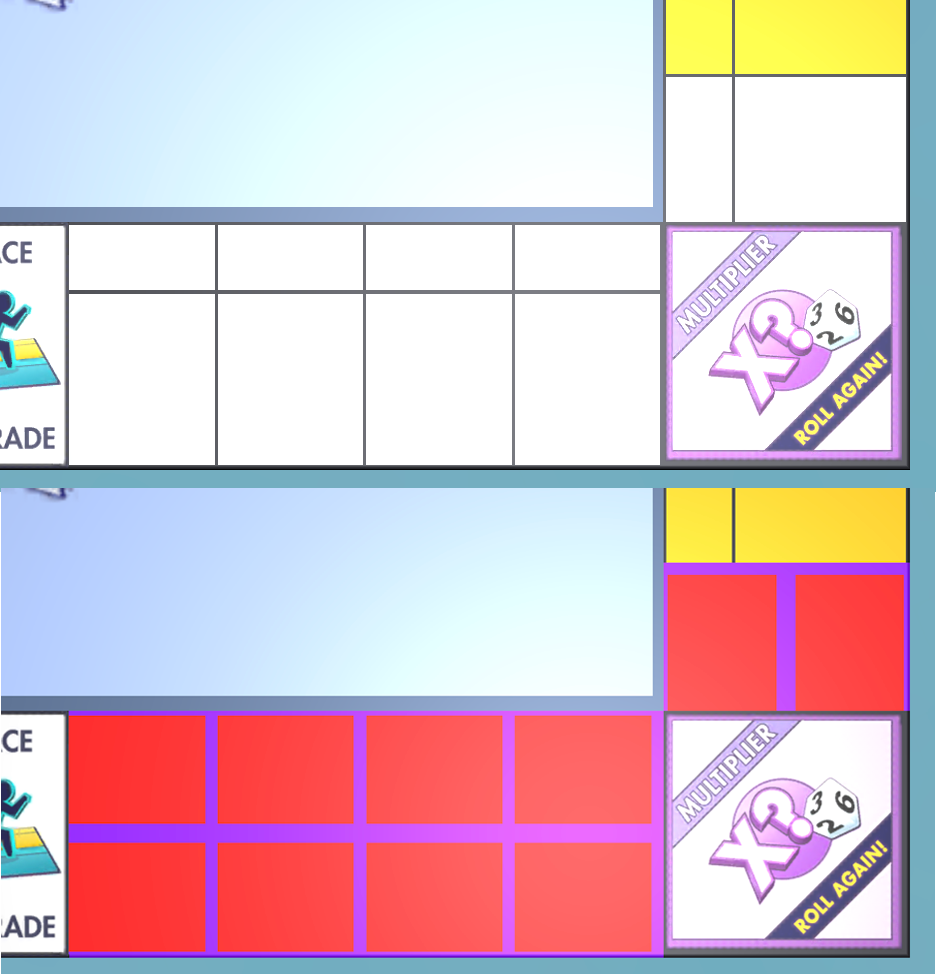
Demonstrating adjustments to the custom shader.
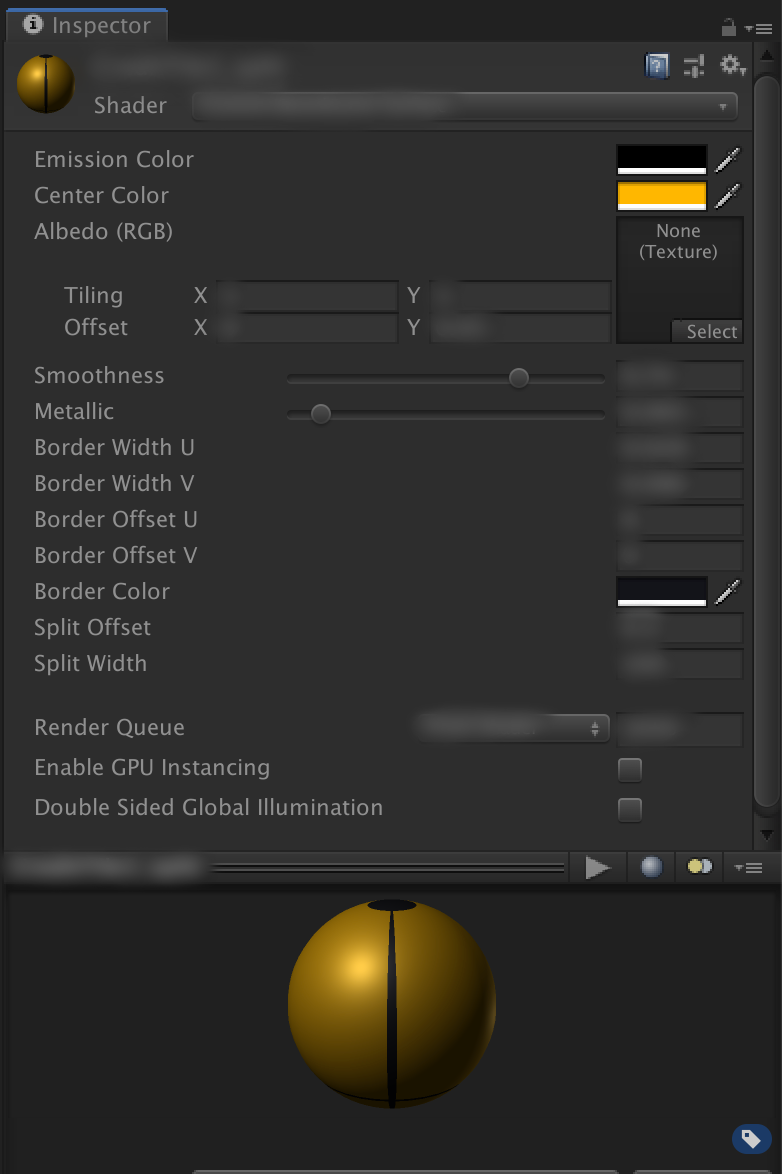
Interface for the custom shader.
Board Shader
I created a shader for the tiles.
The border of each tile has adjustable width and color, without the need for a texture map. The center of each tile has adjustable color. A middle bar splitting the texture into two parts is optional, as is a texture overlay.
As a result, all the tiles use materials that are variants of the same shader. They save space because they don't require texture maps for their borders and coloring, only numbers and RGBA color values.
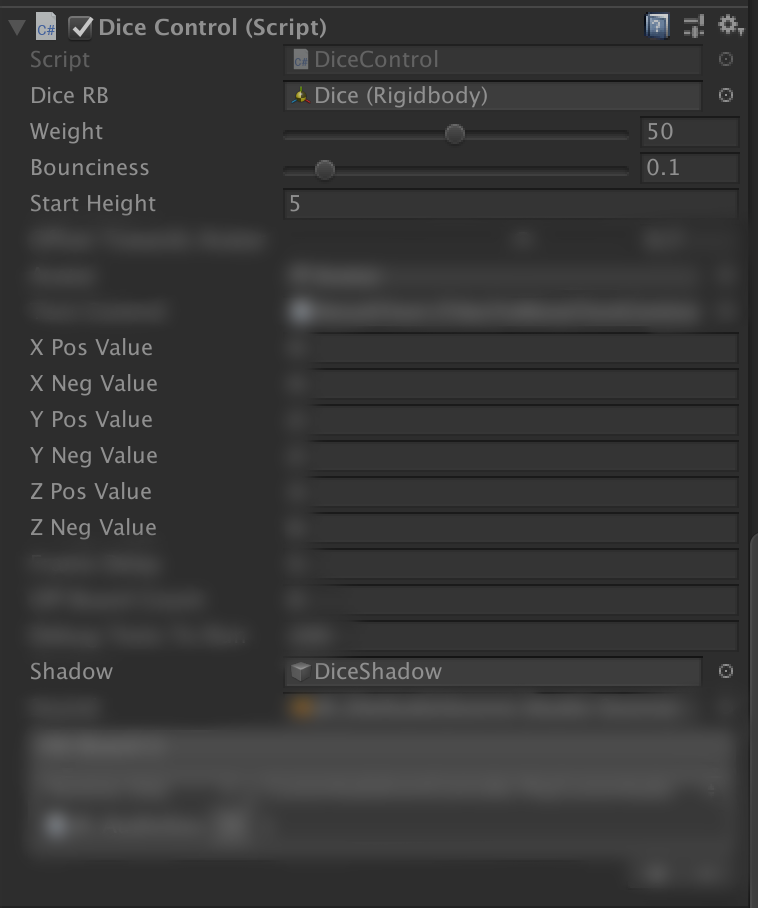
Interface for the die script. "Pos/Neg Value" parameters are for manually entering the values indicated by the texture. "Shadow" is a blob shadow that follows the die.
Die Script
I created an original script for the die.
The script has slider to adjust weight and bounciness.
It can also output its own result! An array of 6 integers are given for each of the faces (i.e., 2 on the +z face). No matter its rotation in space, it can detect which side is topmost, and return the value on that face. Only if it's perfectly balanced on an edge or corner will it not return a value (because more than one side is tied for "topmost").
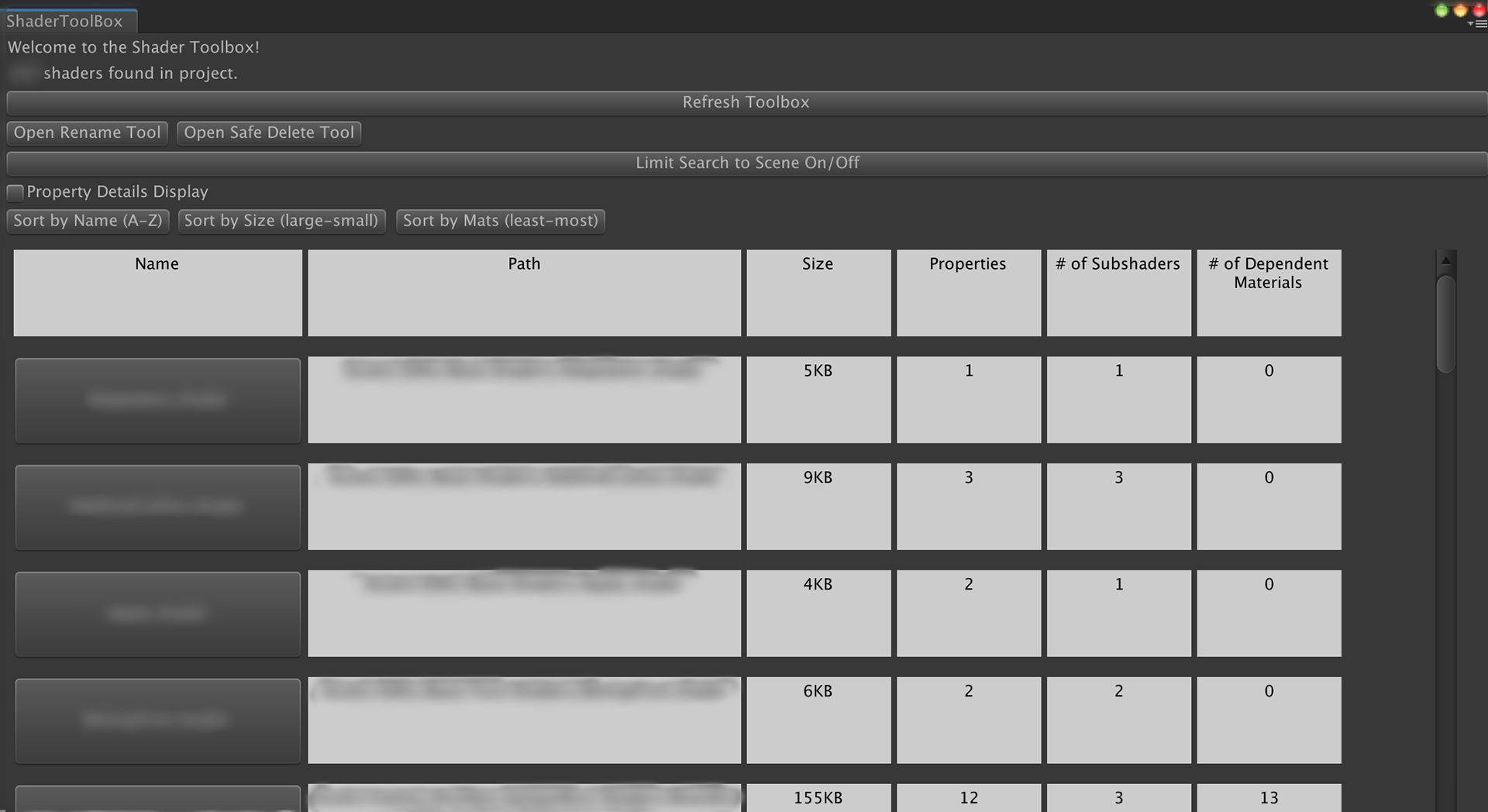
The Shader Toolbox custom Unity editor tool I made.
(Proprietary info, such as asset paths, are blurred.)
Custom Tools
I wrote two custom tools for the DDI art team.
One was designed to help consolidate shader files. It could list all the shader files in the project, sorted by name, size, or number of dependent materials. If two copies of the same shader were found in separate asset bundles, a "safe delete" function let the user move shader A to a shared asset bundle, switch materials currently using shader B to use the new shared shader A, and then delete shader B with minimal broken materials.
Using my shader tool, I was able to halve the number of shader files in the entire project!
The other tool allowed platform-specific override settings for textures to be saved as presets, and applied to several selected textures simultaneously.